
Table of Contents
- Quick Comparison Table
- Why PLA Is the Best Starting Point for Beginners
- PLA vs PETG for Beginners: Which Should You Choose
- Top Filament Picks for Your First Prints
- How to Store 3D Printer Filament Properly
- Common 3D Printing Filament Problems and Solutions
- Frequently Asked Questions
Last Updated: September 19, 2026
Quick Comparison Table
| Filament | Best For | Key Strength | Starting Price |
|---|---|---|---|
| Hatchbox PLA | First-time users | Reliability and ease | $22.00 |
| Overture PLA | Everyday printing | Consistency and availability | $19.99 |
| Polymaker PolyTerra PLA | Aesthetic finishes | Matte finish, easy post-processing | $20.00 |
| Bambu Lab PLA Basic | Modern high-speed printers | Optimized performance | $24.99 |
| Voxel PLA+ | Budget-conscious makers | Strength and value | $15.98 |
| SainSmart TPU | Flexible material exploration | Beginner-friendly elasticity | $25.00 |
Why PLA Is the Best Starting Point for Beginners
The best 3D printing filament for beginners is polylactic acid, commonly known as PLA. This thermoplastic material dominates entry-level printing because it requires lower nozzle temperatures than alternatives, minimizes warping, and delivers reliable first-layer adhesion without extensive calibration.
PLA works at roughly 200-210°C, compared to PETG’s 230-250°C range. Lower heat means fewer failed prints, less bed leveling frustration, and faster learning curves. The material also exhibits minimal stringing, the unwanted filament trails between print moves that plague new users.
The material is forgiving about print bed surface preparation. Standard glass, textured build plates, or even painter’s tape work reliably with PLA without specialty adhesives or exotic surfaces.
Store PLA in a sealed container with desiccant packets immediately after opening. PLA is hygroscopic, it absorbs moisture from air, and even 24 hours of exposure can cause brittleness and printing failures. This single habit prevents more failed prints than any nozzle adjustment.
PLA forgives minor mistakes: slight over-extrusion or a nozzle slightly too high still produce usable parts. This tolerance window is why experienced makers reach for PLA when testing new designs.
PLA vs PETG for Beginners: Which Should You Choose
PLA prints faster and requires less heat, making it the obvious choice for beginners. PETG demands more careful tuning and higher extrusion temperatures, creating unnecessary complexity when learning fundamentals.
PLA’s lower dimensional accuracy matters only for functional parts needing tight tolerances. For decorative prints, miniatures, and learning projects, everything beginners print first, PLA’s accuracy is sufficient.
PETG offers superior impact resistance and tensile strength for functional parts. But this advantage disappears if your first prints fail fighting PETG’s sensitivity to cooling rates and bed temperature.
PLA accepts acetone vapor smoothing and sanding without degradation. PETG becomes brittle when exposed to many solvents. For smooth, finished-looking prints without industrial equipment, PLA wins decisively.
PETG prints fail catastrophically when bed temperature drops even 5°C mid-print. PLA tolerates wider temperature swings, crucial for beginners using budget printers without heated chambers.
Start with PLA. Master bed leveling, extrusion rates, and print speed with a forgiving material. Switch to PETG or TPU only after you’ve completed 20+ successful prints and understand your printer’s quirks.
Top Filament Picks for Your First Prints
Hatchbox PLA: The Reliable Beginner Standard
Hatchbox PLA earns its reputation through consistency. The filament exhibits low-warp characteristics across all colors, keeping prints flat without edge warping, a common frustration with cheaper alternatives.
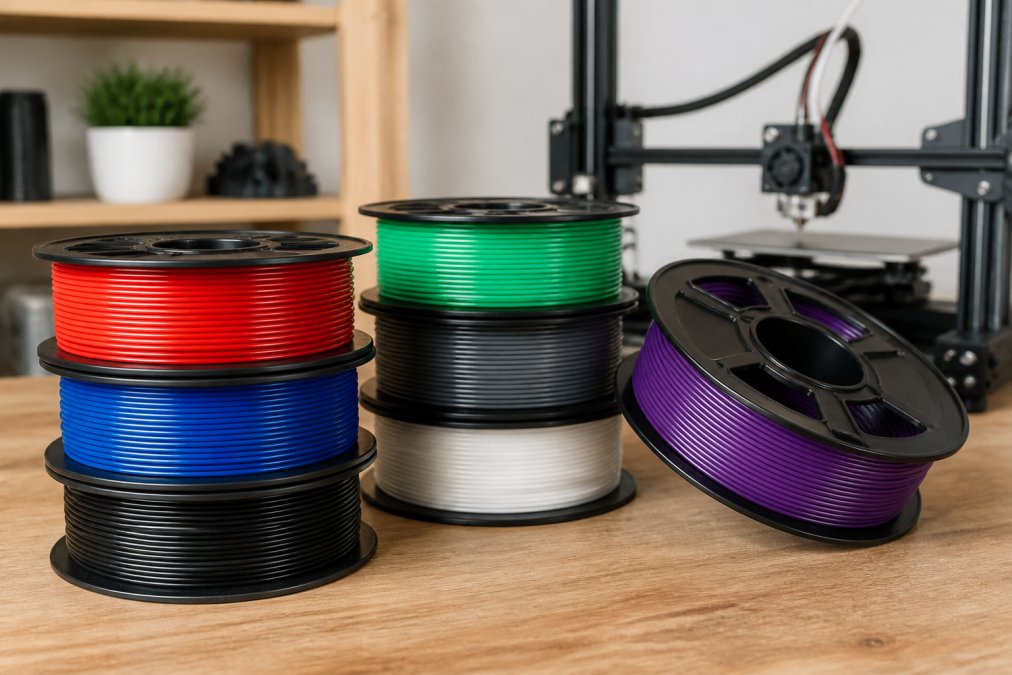
The smooth surface finish requires minimal post-processing, saving hours of finishing work on aesthetic projects and prototypes.
Hatchbox maintains tight diameter tolerances for consistent extrusion.
The material works reliably on standard glass beds with painter’s tape.
Pros:
- Extremely reliable across different printer models
- Great community support with readily available print settings
- Affordable without quality compromises
- Works on basic print beds without specialty adhesives
Cons:
- Price fluctuates based on demand
- Standard PLA, not optimized for high-speed printing
Overture PLA: Consistent Quality with Extras
Overture distinguishes itself through thoughtful packaging.
Consistency defines Overture’s appeal. Tight diameter tolerances eliminate extrusion variations, translating directly to predictable print quality and fewer failed prints.
Overture maintains broad retail availability at major retailers, not just specialty shops.
The material accepts standard post-processing techniques: acetone vapor smoothing and sanding without cracking, saving effort on finished projects.
Pros:
- Very consistent quality control
- Includes reusable build surface sheet
- Easily available at major retailers
- Vacuum-sealed packaging with desiccant
Cons:
- Standard PLA formulation, not optimized for high-speed printing
- Price sits slightly higher than budget alternatives
Polymaker PolyTerra PLA: Aesthetic Finishes Made Easy
Polymaker PolyTerra PLA solves a specific beginner problem: prints that look unfinished. The matte finish hides layer lines that typically require hours of sanding.
The matte finish emerges naturally without vapor smoothing or sanding, making prints look intentionally designed rather than rough and experimental.
Support structures separate cleanly from PolyTerra prints. The formulation creates a distinct interface between support and model, making removal straightforward and reducing cleanup.
The material is slightly more brittle than standard PLA, a tradeoff for the matte finish. For decorative and display projects, this brittleness is irrelevant.
Pros:
- Beautiful matte finish eliminates layer line visibility
- Support structures remove cleanly
- Environmentally friendly packaging
- Very easy to print
Cons:
- Slightly more brittle than standard PLA
- Matte finish limits aesthetic options if you prefer glossy finishes
Bambu Lab PLA Basic: High-Speed Printing Simplified
Bambu Lab PLA Basic targets users of modern, high-speed printers. The formulation optimizes for printing speeds of 150-250 mm/s, dramatically faster than traditional PLA.
This optimization matters less for beginners using standard printers. If you’ve invested in a high-speed printer, Bambu Lab PLA Basic unlocks its intended performance; mismatched filament negates the speed advantage.
The material exhibits minimal stringing and excellent bed adhesion.
Color selection spans vibrant, saturated options with visually striking results. If aesthetics drive your projects, the color range justifies consideration.
The filament performs best with specific printer profiles, making it less universal than Hatchbox or Overture.
Pros:
- Optimized for high-speed printing
- Minimal stringing and excellent bed adhesion
- Vibrant color options
- Reliable performance with automatic calibration
Cons:
- Best performance achieved with specific printer models
- Overkill for standard-speed printers
- Requires compatible printer profiles
Voxel PLA+: Budget-Friendly Strength
Voxel PLA+ delivers improved impact resistance compared to standard PLA at a budget-friendly price, adding durability without PETG’s temperature demands or TPU’s complexity.
The low-warp formulation prevents edge curling, keeping prints flat and dimensionally accurate without fighting bed temperature or print speed adjustments.
Tight diameter tolerances eliminate extrusion variations, providing reliability while learning proper print settings.
Voxel’s budget pricing enables high-volume printing and rapid iteration, ideal for learning through experimentation.
Bulk purchase achieves the lowest price point; single-spool purchases cost more per unit.
Pros:
- Highly affordable for high-volume printing
- Enhanced impact resistance versus standard PLA
- Excellent surface quality
- Consistent diameter tolerance
Cons:
- Lowest per-unit price requires bulk purchase
- PLA+ formulation, not standard PLA
SainSmart TPU: Exploring Flexible Materials
SainSmart TPU enables flexible printing. Thermoplastic polyurethane (TPU) produces rubber-like prints that bend, compress, and flex without breaking.
This material represents a natural progression after mastering rigid PLA, unlocking new project possibilities: phone cases, gaskets, flexible hinges, and wearable components.
The material requires slower print speeds than PLA, typically 20-40 mm/s, ensuring proper layer adhesion. Patience produces better results.
TPU benefits from reduced cooling to allow layers to fuse more completely. Most printers require firmware adjustments or profile changes, making this manageable for someone who’s completed ten successful PLA prints.
The material works on standard print beds without specialty adhesives. Bed adhesion is easier with TPU than with some rigid materials, and flexibility helps prints release cleanly.
Pros:
- Budget-friendly for a specialty material
- Easier to print than many other flexible filaments
- Works on standard print beds
- Opens new project possibilities
Cons:
- Requires slower print speeds for best results
- Needs profile adjustments or firmware changes
- Not ideal for true beginners, better as a second material
How to Store 3D Printer Filament Properly
Filament storage determines whether your material remains usable or becomes brittle. Moisture absorption is the primary enemy. PLA, PETG, and TPU all absorb moisture from ambient air, a property called hygroscopic behavior.
Moisture-saturated filament produces surface defects, reduced layer adhesion, and brittleness. Many beginners blame their printer when moisture-damaged filament is actually the culprit.
Store filament in airtight containers with desiccant packets. Plastic food storage containers with sealed lids work effectively. Replace desiccant packets monthly or when they show color saturation.
Vacuum-sealed bags offer another storage option.
Never store filament in the original spool packaging long-term. The cardboard spool absorbs moisture and transfers it to the filament. Transfer spools to airtight containers within 48 hours of opening.
Common 3D Printing Filament Problems and Solutions
Brittleness and Layer Separation
Brittleness indicates moisture absorption. Prints snap under light pressure, and layers separate from each other.
Stringing and Oozing
Warping and Bed Adhesion Loss
Inconsistent Extrusion and Diameter Variations
Clogging and Nozzle Blockages
The nozzle stops extruding mid-print when filament hardens inside.
Layer Height Inconsistencies
Frequently Asked Questions
What is the easiest 3D printing filament to use for beginners?
PLA is the easiest filament for beginners because it requires no heated bed, has low warping, and prints at lower temperatures (190-210°C). Reliable brands offer consistent quality with minimal troubleshooting. PLA’s polylactic acid base makes it forgiving of minor calibration errors, which is why it’s the standard choice for first-time users.
Is PLA or PETG better for beginners?
PLA is better for beginners. While PETG (polyethylene terephthalate glycol) offers greater tensile strength and durability, it requires higher temperatures, a heated bed, and more careful cooling management. PLA provides a gentler learning curve with fewer failed prints. Once you master PLA’s fundamentals, PETG becomes an accessible next step for projects needing extra strength.
How do I prevent moisture absorption and filament clogging?
Store filament in airtight containers or sealed bags with desiccant packs to prevent moisture absorption, PLA is hygroscopic and absorbs water from air, causing brittleness and clogging. Keep spools in a cool, dry place away from direct sunlight. Check your filament before printing; if it’s been exposed to humidity, dry it in a low-temperature oven (around 50°C for 2-4 hours) before use.
What filament diameter should I buy for my printer?
Most beginner 3D printers use 1.75mm filament diameter, though some older models use 3mm. Check your printer’s specifications before purchasing, it’s printed in your manual or on the manufacturer’s website. Filament diameter affects extrusion and flow rate, so using the wrong size causes clogging and poor print quality. All the filaments mentioned here are available in standard 1.75mm diameter for compatibility with modern FDM printers.



0 Comments